For law firmsaccounting firms
Your matterengagement file,
out of email.
Pertavo keeps a matteran engagement whole: the documents, the messages, the dates it turns on, the hours against it, and the signature at the end — in one place your client can reach and nobody has to attach to anything.
30 days free, no card needed · or tell us about your firm
- Unlimited e-signatures
- Conflicts checked when a matteran engagement opens
- No card to start
From $29 a month, per firmCompare plans
01The product
Everything for a client,
on one screen.
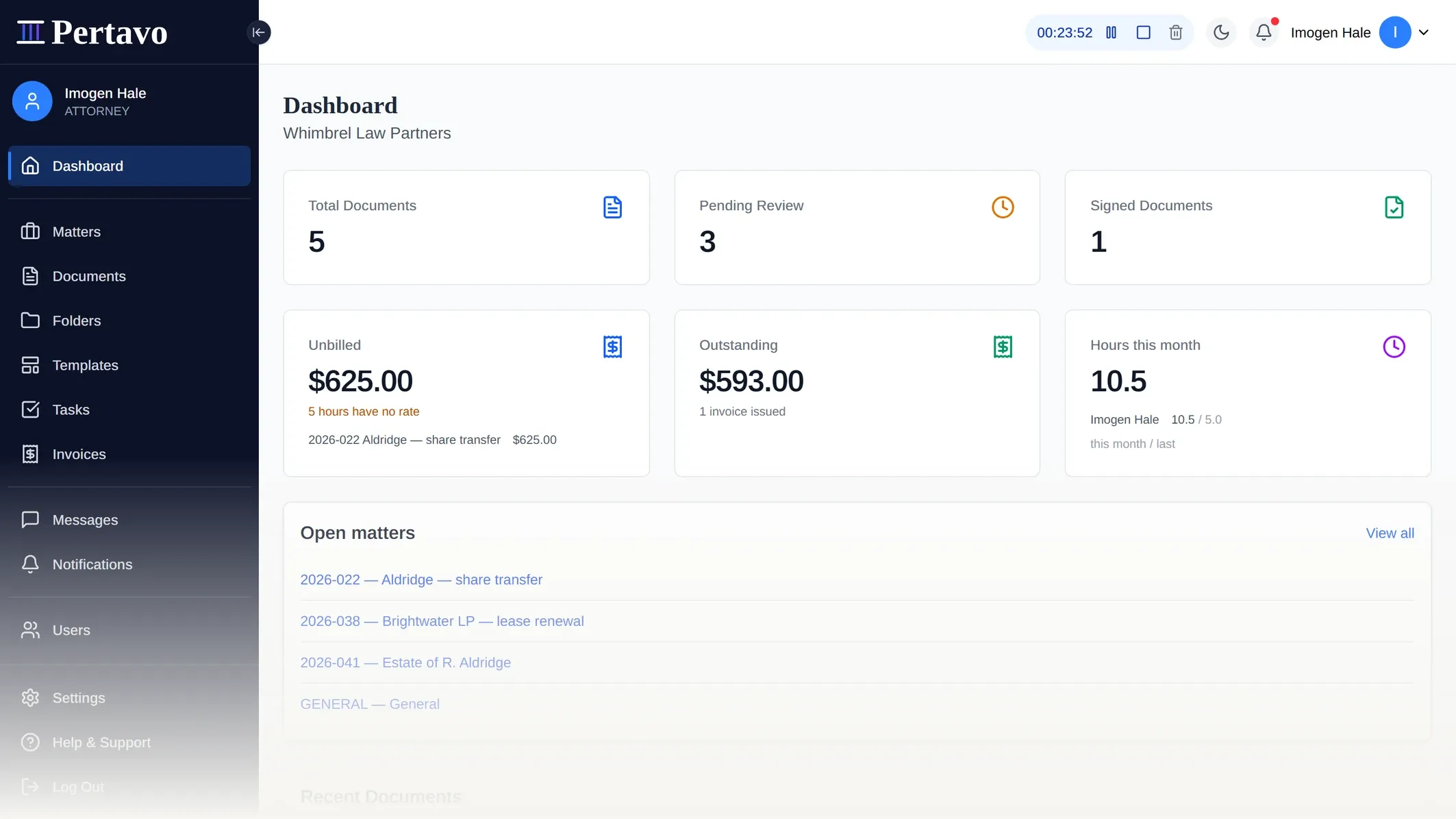
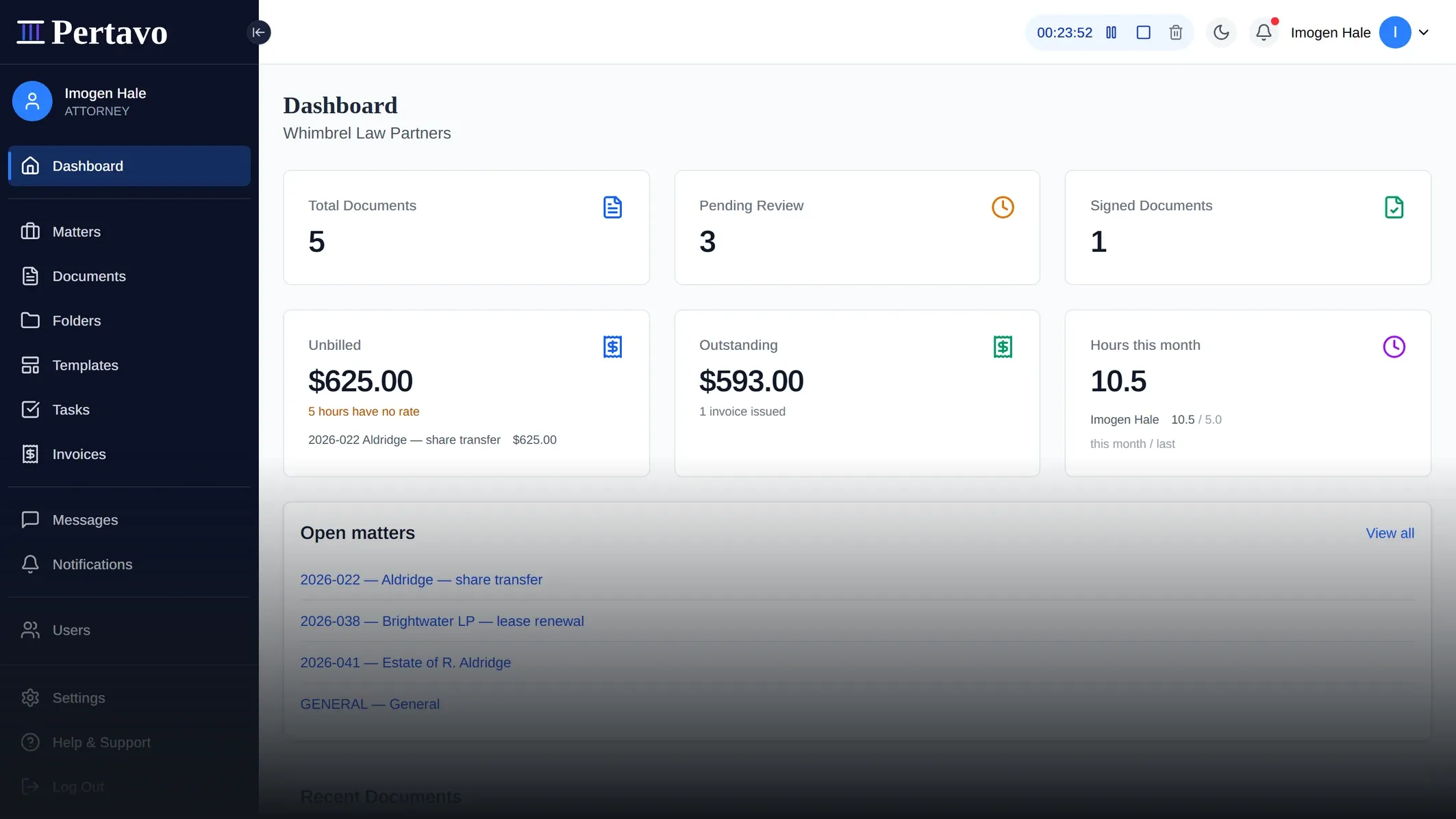
What is in, what is waiting on a signature, and what your client just sent — without opening a mail client.
02Why bother
Still running mattersengagements
out of an inbox?
Four things that go wrong on every file.
On email
The file is in six places
The authority in a thread, the latest draft on a drive, the dates in somebody’s diary.
On Pertavo
One matterengagement, one file
Documents, messages, dates and hours, all on the matterengagement.
On email
Chasing what is missing
Re-reading the thread to work out what has arrived, then writing another reminder.
On Pertavo
What is outstanding, at a glance
Received, under review, or waiting on a signature — per matterengagement.
On email
Client papers sitting in inboxes
Every attachment lives in two mailboxes, on whatever devices those are open on.
On Pertavo
Files that never leave the portal
No public URL to guess, and every read is re-checked.
On email
Print, sign, scan, return
The signature is the slowest part of the job, and it is the part that needs a printer.
On Pertavo
Signed in the browser
Place the fields, send it, get the signed PDF back.
03What it does
Twelve things,
done properly.
No integrations marketplace, no AI assistant, no mobile app, no trust accounting.
What the work is made of
Every matterengagement in one file
A matterAn engagement has its own number, practice areaservice line, client and staff — and everything else files onto it. Documents, messages, deadlines, time and the signature at the end.
MattersDocuments and folders
Nested folders per client, with sharing and permissions set on the folder rather than file by file.
Organizing with foldersTemplates that write the document
Keep the engagement letter once, with the matterengagement’s details as merge fields. Generate it filed on the matterengagement, then send it for signature without leaving the page.
Templates and generated documentsSign in the browser
Place the fields, send it, and the client signs three ways — draw, type, or upload. The signature is written into the PDF itself.
Digital signatures
What the firm needs around it
Messaging that stays put
Threads with attachments, tied to the matterengagement rather than scattered across inboxes. Delivered live, not on refresh.
Messaging and communicationTime and dates on the matterengagement
Log hours against the matterengagement they belong to, and keep court and limitation datesfiling and limitation dates on the file itself. These are dates somebody enters — Pertavo does not compute them from any rulebook.
Time on a matterThe bill comes off the work
Draft an invoice from the hours and expenses already on the matterengagement — each line carrying the rate it was charged at — and set money the client paid up front against it. Send it, and Pertavo keeps the number, the status and whether the email actually arrived. It is settled however you already take money; nobody pays inside Pertavo.
InvoicesTasks, on the matterengagement and on the person
What is on you and what you are waiting on, with a due date and a name against each one. Clients get their own list rather than a reminder you have to send, because the half of the work that stalls is usually the half they are holding.
TasksOne month, all three kinds of date
Tasks, the matterengagement’s court and limitation datesfiling and limitation dates and the firm’s hearings, meetings and calls on one grid — and out to the calendar you already watch, as a link you subscribe to. Pertavo computes no date from any rulebook and reminds you of nothing; the calendar on your phone does the reminding.
The calendarConflicts checked, walls that hold
Opening a matteran engagement searches the firm for a conflict and makes you acknowledge what it finds. Turn ethical walls on and an attorneya CPA sees only the mattersengagements they are staffed on — and it fails closed, not open.
Conflict checksWho opened it, and who took a copy
Every open, download, change and deletion is written down and readable — on the matterengagement, and across the firm. Repeated opens of one file collapse to once a day so a download never drowns in them. What it is not is attested: nothing signs these rows and no auditor has seen them, so it answers your questions rather than a regulator’s.
What is recorded about a documentTold when it moves
Uploads, assignments and status changes reach the right person as they happen, not on the next refresh.
Notifications and alerts
04How it works
One season,
three moves.
The portal imposes this order, so nothing arrives before there is a folder to put it in.
Invite your clients
Send an invitation from the portal. Your client sets their own password and lands in your firm’s workspace — no account for them to hunt for.
They upload, it files itself
Documents arrive filed on the matterengagement, not as attachments in a thread. Ask for what is missing without leaving the file.
Review, sign, deliver
Mark up the PDF in the browser, place the signature fields, and collect the signature. The signed file goes back where it came from.
Nothing to install, either end.
05The screens
Ten screens,
no mockups.
Captures from the running app. Open any one to read it full size.
01/07
06On a phone
No app, and
nothing missing.
Your client does their half in the browser they already have, and you can look in from yours. Captures from the running app.
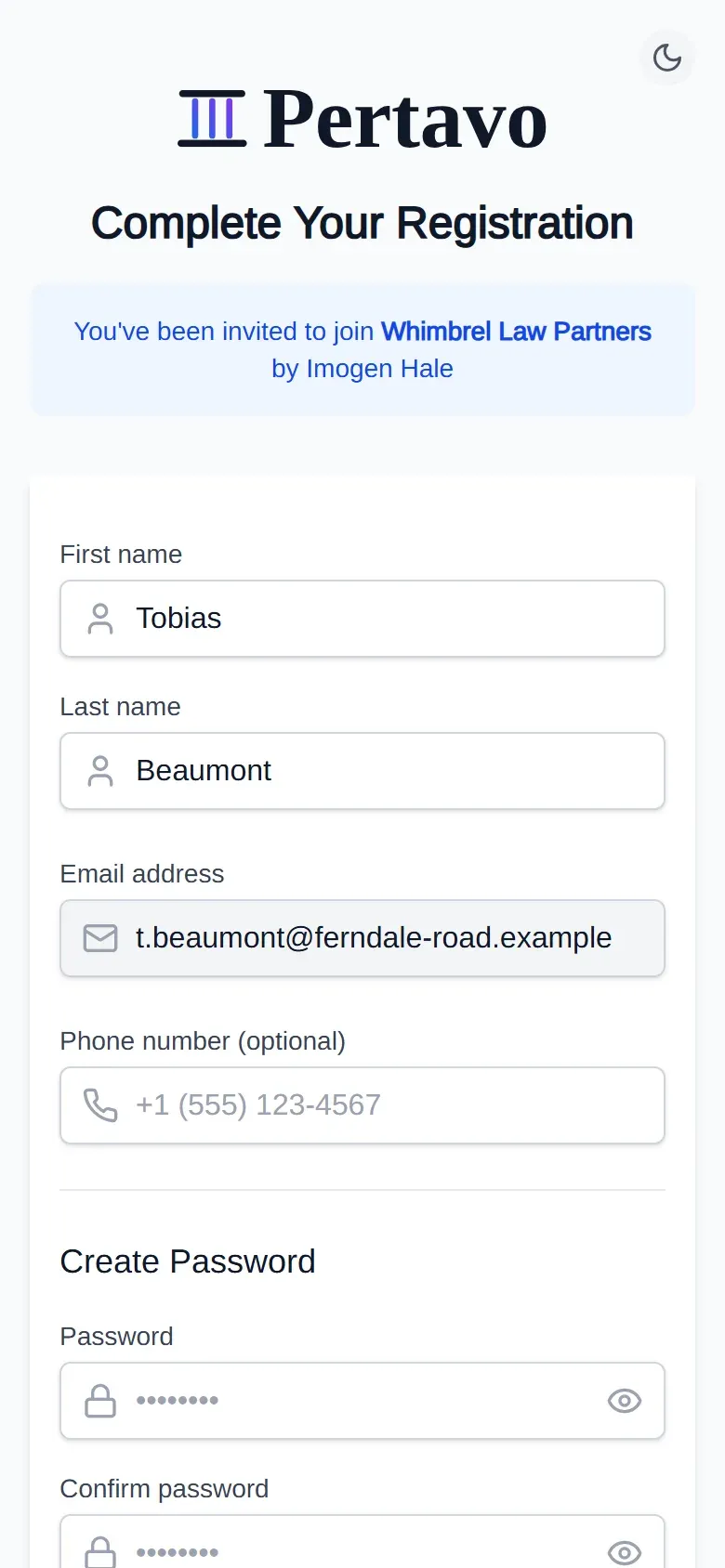
The invitation
What your client sees first. Their name and your firm already filled in.
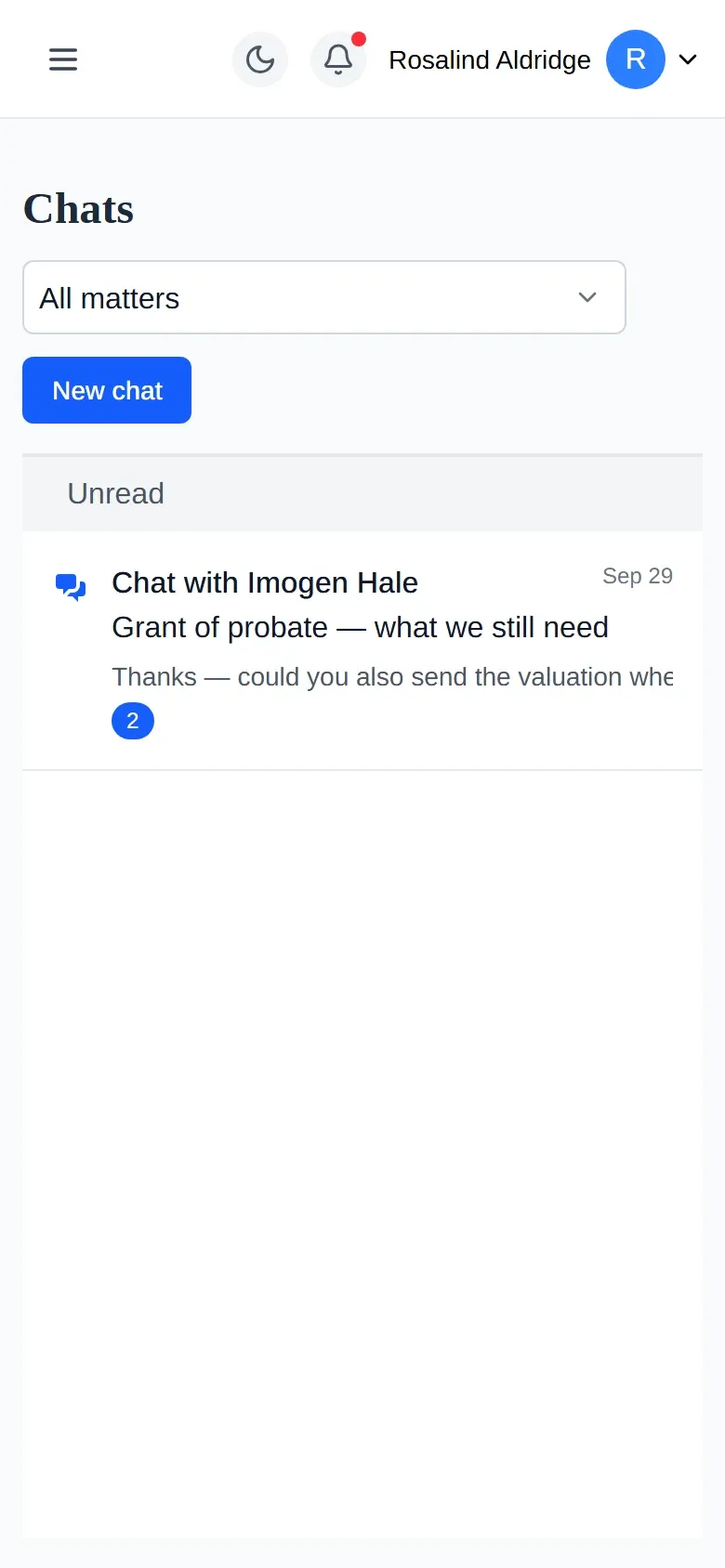
Asking a question
Threads that belong to the matter, not to two mailboxes.
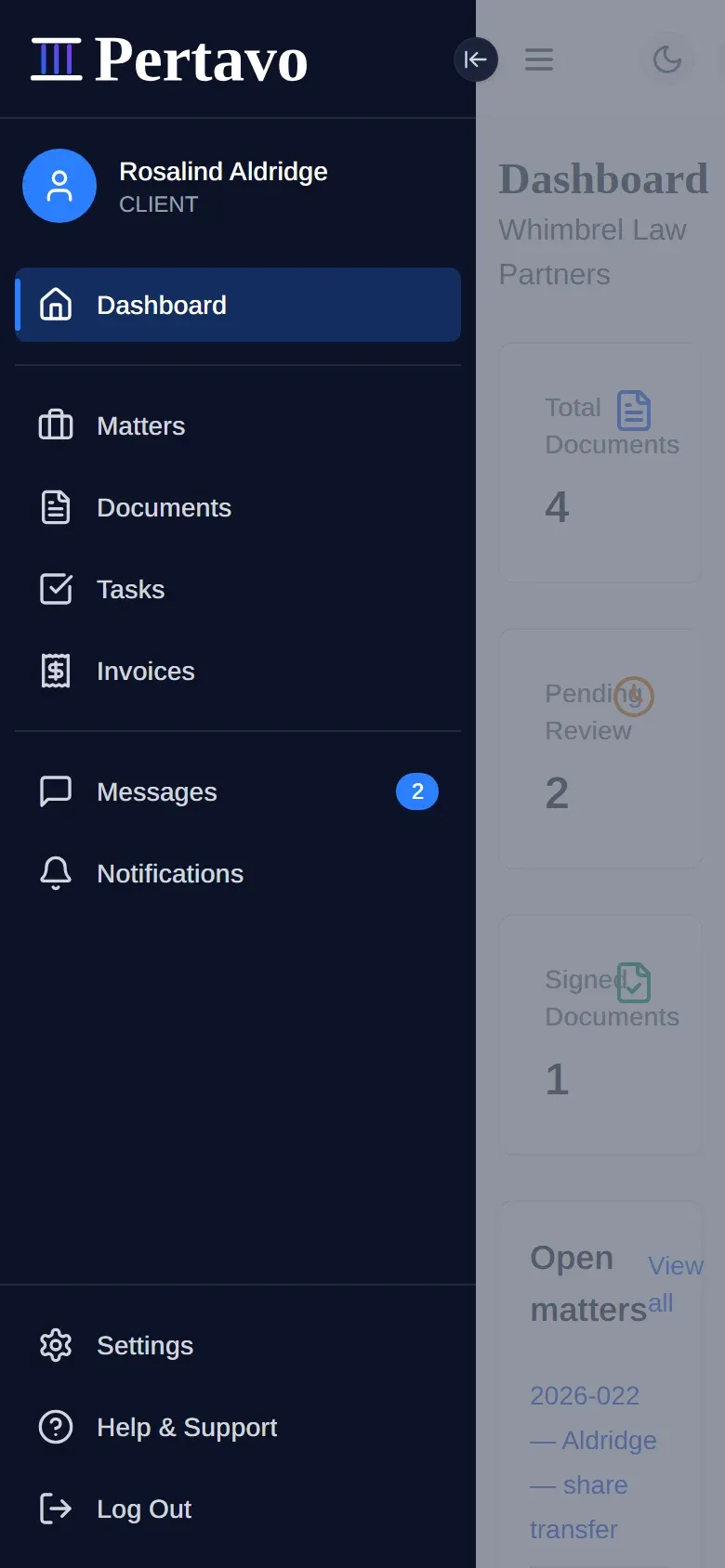
What a client reaches
Five things. The menu is short because the role is.
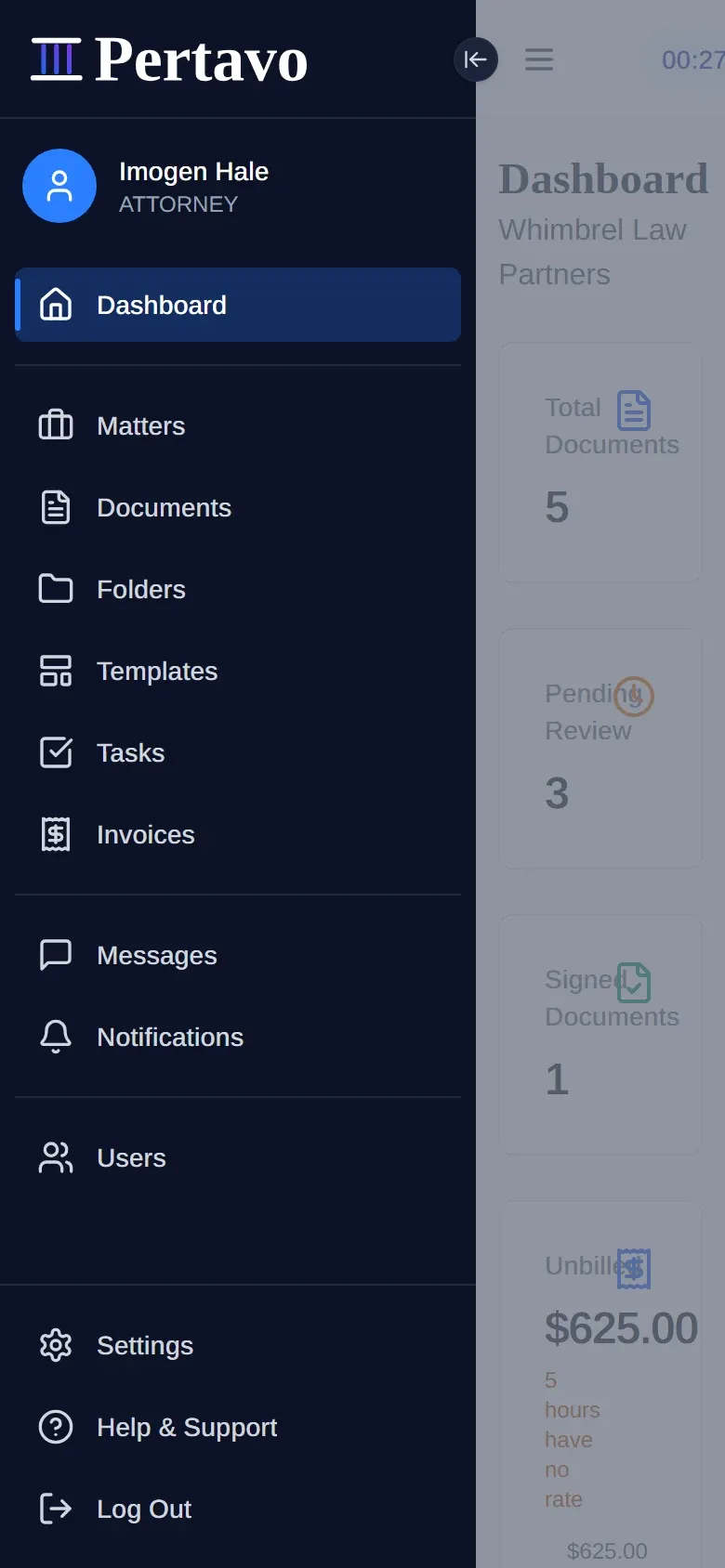
What you reach
Eight. Which role sees what is settled on our side, never by the screen it is opened on.
Ten screens driven at 390 pixels, nothing running off the right edge. Placing signature fields and reviewing a return is still desk work.
07Security
What we can
actually claim.
Eight things the software does, each one you can hold us to.
Files are never public
A document link is useless to anyone outside your firm. Every time a file is opened we check who is asking, and which firm they belong to, before sending any of it.
One firm cannot reach another
Another firm’s files are not hidden from you — they are never fetched at all. Every request is narrowed to your own firm before it reaches the database.
Access is decided per matterengagement, in one place
Whether you may see something is settled by a single check that every part of the product calls — eight services, one gate. There is no second path that forgot to ask.
Walls that fail closed
Turn ethical walls on and an attorneya CPA reaches only the mattersengagements they are staffed on. The request is refused at the database, not greyed out on screen — and where it cannot establish that you are staffed, the answer is no.
A code as well as a password
Turn it on and signing in takes a code from your phone as well as your password. Lose the phone and single-use backup codes get you back in.
Signed in, but not forever
The key your browser signs in with expires within the hour and is renewed quietly in the background. A copy taken off a machine stops working on its own.
What each person can do is fixed
Owner, admin, attorneyCPA and client are separate roles, recorded per firm. What each one may do is decided on our side — not by what the screen happens to show them, and an attorneya CPA behind an ethical wall is refused the query, not just the button.
Invitations that die quickly
A client invitation works once and expires within a day. Unused ones are cleared on a schedule, and an expired link is refused even if someone finds it later.
What we do not claim
None of these has been done. When one is, it will appear on this line with its date and its auditor.
Three things the product does not do, for the same reason: its activity log is nobody’s evidence but your own, no segregated client accounts and no three-way reconciliation, and nothing that calculates a deadline from any court’s rules.
| Certification | Date | Auditor |
|---|---|---|
| SOC 2 or ISO 27001 certification | None | None |
| A GDPR or CCPA attestation | None | None |
| Independent penetration testing | None | None |
08Pricing
Priced per firm,
not per signature.
Every plan has every feature, including unlimited e-signatures. What changes is size — how many clients, documents and gigabytes the practice needs — and how quickly we answer.
Starter
$29per month
Perfect for small practices just getting started
- Clients
- 25
- Documents
- 500
- Storage
- 1 GB
- Included: MattersEngagements
- Included: Client management
- Included: Document storage
- Included: Messaging
- Included: Digital signatures
- Included: Templates
- Included: Conflict checks
- Included: Ethical walls
- Included: Time and deadlines
- Included: Email Support
No card needed. Questions first? Talk to us
Professional
Popular$59per month
Ideal for growing practices with more clients
- Clients
- 100
- Documents
- 2,500
- Storage
- 5 GB
- Included: MattersEngagements
- Included: Client management
- Included: Document storage
- Included: Messaging
- Included: Digital signatures
- Included: Templates
- Included: Conflict checks
- Included: Ethical walls
- Included: Time and deadlines
- Included: Priority Support
No card needed. Questions first? Talk to us
Enterprise
$99per month
For large practices with extensive needs
- Clients
- Unlimited
- Documents
- Unlimited
- Storage
- 100 GB
- Included: MattersEngagements
- Included: Client management
- Included: Document storage
- Included: Messaging
- Included: Digital signatures
- Included: Templates
- Included: Conflict checks
- Included: Ethical walls
- Included: Time and deadlines
- Included: Dedicated Support
No card needed. Questions first? Talk to us
Every plan starts with a 30-day free trial, no card needed. Yearly billing charges ten months up front — the same plan, 2 months free. Questions first? Talk to us.
09FAQ
Before you
sign up.
Still not answered?
Ask before you commit a season to it. The two-minute tour is one click away, and the pricing is on this page rather than behind a call.
Is this law firm management software?
Most of it. Pertavo runs the matter and everything on it: documents, messages, templates, tasks, conflict checks, ethical walls, time, dates, the signature at the end — and, since October 2026, the bill that comes off it. What it still does not do is trust accounting in the regulated sense and docketing against court rules, so a firm that needs either should keep something for them or buy one of the suites.
Do my clients need to buy anything?
No. You subscribe as a firm and invite your clients in; they create a password from the invitation link and use the portal at no cost. Plan limits count clients, not seats you pay for separately.
What file types can be uploaded?
PDF, DOCX, XLSX, JPG, JPEG, PNG, TXT and CSV. Your firm can narrow that list, and sets the maximum file size, in its own settings — so the ceiling is yours to decide rather than ours.
Can I really sign a PDF in the browser?
Yes. Open the document, place the signature fields where they belong, and send it. Signatures are written into the PDF itself, so the signed file is a normal PDF that opens anywhere.
Who can see a document once it is uploaded?
The firm it belongs to, and the client it concerns. Permissions are set on the folder, and every request to read a file re-checks your membership of that organisation before returning it.
Is there two-factor authentication?
Yes — time-based codes from any authenticator app, with single-use backup codes. Each person turns it on for their own account.
What are the user roles?
Four, recorded per organisation: owner, admin, attorney and client. Owner and admin have full access to the firm, an attorney works the matters they are on, and a client uploads and views what has been shared with them. Because roles are per organisation, one person can belong to more than one firm.
What is a matter, and do I have to use them?
A matter is one client’s one legal issue — with its own number, practice area, client, staff, documents, deadlines and time. Everything in Pertavo can be filed on one. You do not have to start there: every firm is created with a General matter, so a document can be uploaded before anybody has decided which matter it belongs to.
What happens when I outgrow a plan?
Move up a plan. Starter covers 25 clients and 1 GB, Professional 100 clients and 5 GB, and Enterprise removes the limits. E-signatures are unlimited on all three.
How does yearly billing work?
A year is charged as ten months up front — the same plan, two months free. Nothing else about it differs from monthly.
Does Pertavo handle trust accounting or IOLTA?
Not in the regulated sense, and that is not planned. Pertavo does record money a client has paid you against a matter and what has been spent from it, so you can answer “how much of theirs are we holding on this file” without a spreadsheet. But there are no segregated client accounts, no three-way reconciliation and no bar reporting. If your jurisdiction wants a reconciliation you can produce on demand, that account lives somewhere built for it.
We are an accounting firm. Can we use it?
Yes. Pertavo runs one product for both professions and asks which one your firm is: an accounting firm reads engagements, service lines and CPAs everywhere a law firm reads matters, practice areas and attorneys. Nothing else differs — same screens, same permissions, same data. The switch at the top of this page shows you the difference before you sign up, and your firm’s choice is set at registration and can be corrected in settings afterwards.
Get started
Set it up before the
next return lands.
Thirty days, every feature, no card. Or tell us about your firm and we’ll walk you through the whole loop — upload to signed PDF — on your own files first.