Time on a matter
Hours logged against the matter they belong to — typed, or run on the timer in the top bar — what rate they carry, and the parts of billing they do not reach.
4 min readReviewed 28 October 2026
Time is recorded on the matter. Open one, and the Time panel lists what has been logged against it with a total across the top.
An accounting firm sees the same panel; the hours sit on an engagement there.
Two ways in
Typed, afterwards. Three fields: what you did, how long it took, and the date. The description is free text and it is the only thing anybody will read later, so write it for somebody who was not there — “Call with the executor about the bank’s closing balance” rather than “call”. Duration is entered in hours and stored in minutes, so half an hour is half an hour however you type it.
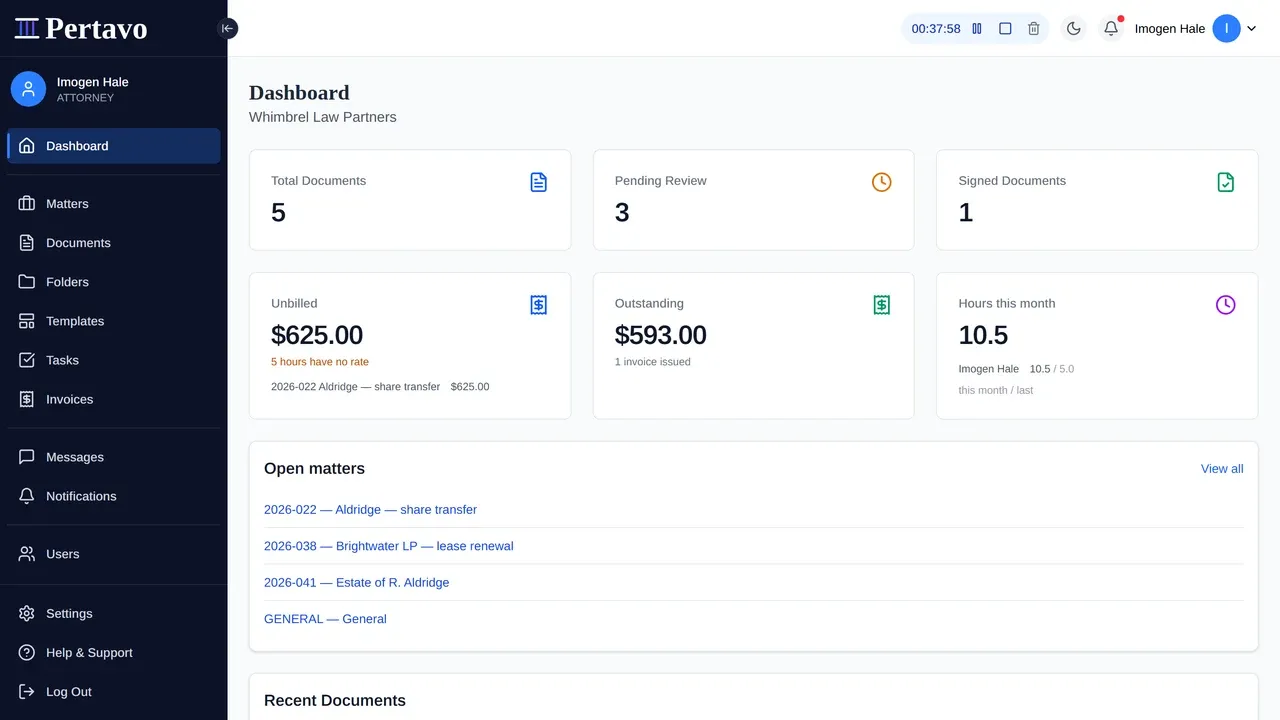
Run on the timer. There is a timer in the top bar on every page, because the moment a timer is needed is never the moment you are on the page that owns it — the phone rings while you are reading a document, and a timer two clicks away is a timer nobody starts.
It can be started with nothing attached to it. A matter and a description are both optional at the start and asked for when you stop, which is the only order that works: asked to pick a matter first, people do not start at all.
What the timer actually counts
The elapsed figure is the server’s, not your machine’s. The number ticks in your browser so it moves while you watch it, but every refresh corrects it against the server, and what gets written when you stop is worked out there. A laptop whose clock is an hour out shows an hour of drift and writes none of it.
It pauses and resumes, and the banked stretches add up; it can also be discarded, which writes nothing. One timer each — starting a second does not leave the first running somewhere out of sight.
Two details that matter afterwards:
- The date is when it started. Work begun at 11pm and stopped at 12:05 belongs to the day it was done, not to the following morning.
- It says when it has gone too long. Past eight hours the pill marks itself and the stop dialog says when it started — “started yesterday at 17:42” being the fact that actually jogs a memory, rather than the figure on the clock.
The rate it carries
An entry snapshots the rate it was charged at as it is written. The matter’s own rate if it has one, otherwise the firm’s default, and nothing if neither is set — not zero, because an hour billed at zero is an hour given away and an invoice would say so without anybody meaning it.
A snapshot rather than a lookup, and that is the whole point of it: a firm that raises its rates in January does not silently reprice last year’s unbilled hours, and an invoice sent in December keeps agreeing with the entries behind it.
An entry with no rate still records the work. It just cannot be billed until somebody says what an hour costs.
Where the hours go
Unbilled time is what an invoice is drawn from: raise one on the matter and the entries come across as lines carrying their own minutes and rate. An entry is unbilled when no invoice line points at it, which is one definition used everywhere — so the figure on the matter and the figure on the dashboard cannot disagree, and voiding an invoice puts its work back without anything having to remember to.
The dashboard totals it across matters: unbilled work for the firm with the five matters carrying most of it, hours per person this month against last, and what is outstanding aged from the due date. Those figures obey the same ethical walls as everything else — you are totalled over the matters you can reach.
What it is not
- No rate per person. The rate comes from the matter, or from the firm. A partner’s hour and a paralegal’s hour on the same matter carry the same figure.
- No rounding into billing units. An entry is the minutes it was. The profession’s six-minute unit is not applied to anything.
- No approval step. Nothing holds an entry for review before it can be invoiced, and nothing locks one after it has been.
- No budget and no warning. A matter has a rate, not a cap. Nothing tells you the work has passed what the client was quoted.
- No utilisation targets. The dashboard says what the hours were, not what they were supposed to be.
Who can see it
Everybody staffed on the matter, and the firm’s owners and admins. Clients do not see the time panel at all — they see the invoice that comes off it, not the entries behind it. With ethical walls on, an attorney who is not staffed on the matter cannot reach the matter, so the time goes with it.
This did not answer it?
Sign in and write to us from Help & Support inside the portal — a message from there arrives with your firm and your account already attached, so nobody has to ask you which is which.
Sign in to Pertavo