Matters
The file everything else hangs off — what a matter is, what files onto one, and why you do not have to start with it.
4 min readReviewed 28 October 2026
A matter is one client’s one piece of work. It carries your own reference number, a practice area, the client it belongs to, the staff who are on it — and everything else in Pertavo files onto it.
An accounting firm reads engagement everywhere this page says matter. Nothing else differs; see Pertavo for accounting firms.
Reading the list
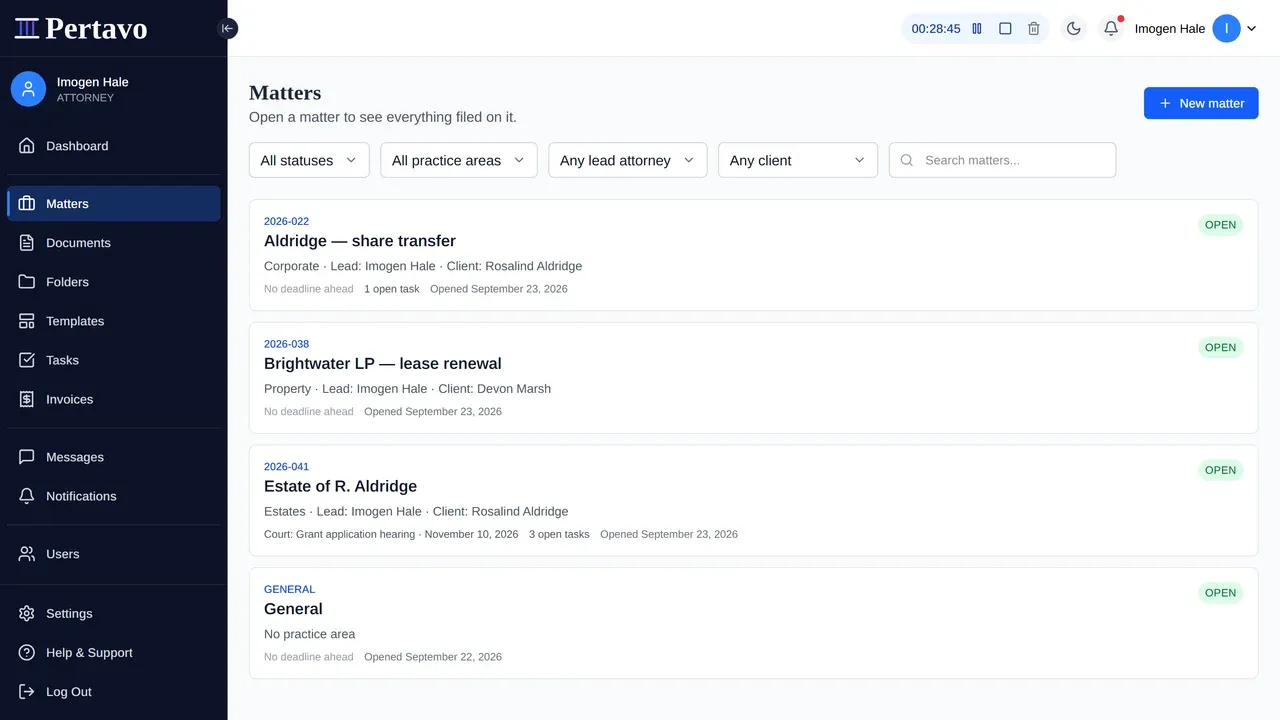
Every row carries the reference, the title, the practice area, the lead and the client — and underneath, the next deadline and how many open tasks the matter is carrying, or “No deadline ahead” when it has none. That line is the reason to open one file before another, and it is on the list so you do not have to open all of them to find out.
Four filters narrow it: status, practice area, lead attorney and client. The last two are the ones a partner reaches for — everything that is mine, or everything belonging to one client.
What files onto a matter
Nine things, and the point of the matter is that they sit together rather than in nine lists:
- Documents — uploaded to it, or generated onto it from a template
- Messages — a thread belongs to the matter, not to an inbox
- Tasks — with an assignee and a due date
- Deadlines — court and limitation dates
- Time — hours logged against it, typed or run on the timer in the top bar
- Disbursements — what the firm has paid out on the matter
- Billing — invoices drawn from that work, and what is still unbilled
- Signatures — a document sent for signing stays on the matter it came from
- Activity — who opened, downloaded or deleted what
Opening one
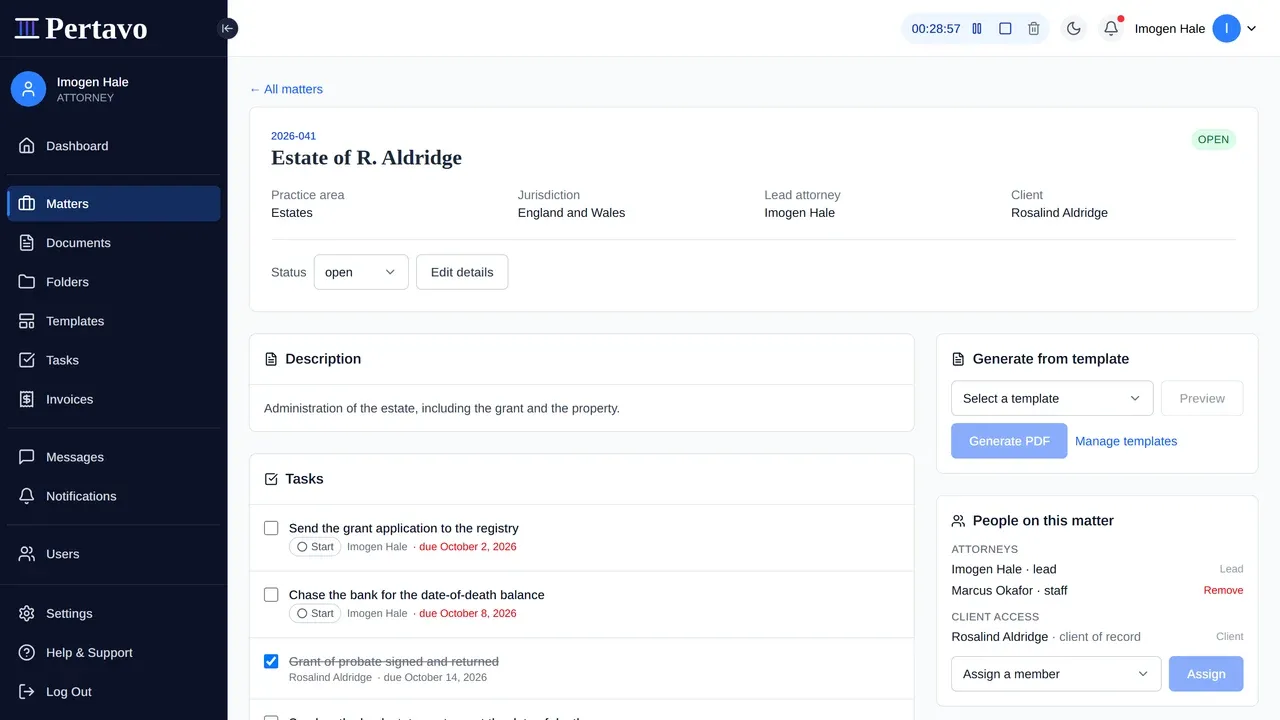
Matters → New matter. Four fields matter:
- Reference — your own numbering, whatever you already use. It must be unique in the firm; a repeat is refused.
- Title — how you would say it out loud. “Estate of R. Aldridge”, not “Probate 3”.
- Practice area and jurisdiction — free text, and they drive the filters on the list above.
- Client — the person in your firm’s user list. This is what makes the matter visible to them.
Opening a matter runs a conflict check before it is created. If the firm has acted for this client before, or against them, you are shown what was found and have to acknowledge it before the matter exists.
Correcting one
Edit details on the matter page changes the reference, title, practice area, jurisdiction, description, lead and client after it has been opened. A reference typed wrong on a Friday does not have to live on the file for a year.
You do not have to start here
Every firm is created with a matter called General, and it exists so nothing is blocked on a decision. A document can be uploaded before anybody has worked out which matter it belongs to; it lands on General and can be moved later.
That is the honest use for it. What it is not for is being the place everything stays — a firm whose General matter holds two hundred documents has rebuilt the inbox it left behind.
Closing one
A matter’s status is open, on hold, closed or archived. Closing changes the status and nothing else: the documents, messages and time stay where they are and stay readable. Nothing is deleted, and nothing is hidden from the people who could already see it.
What a matter does not do
- It does not decide who can see a document. A document is reached by being assigned to somebody or uploaded by them — see Who can see a document. Filing something on a matter does not share it. Being the matter’s client is what lets a client open the matter; it is not what hands them a file on it.
- It is not a trust account. Money a client paid you up front is held against the matter and spent down by an invoice — see client funds — but there are no segregated client accounts, no three-way reconciliation and no bar reporting, and nobody can pay you inside Pertavo.
- It does not prove its own history. The Activity panel says who opened, downloaded or deleted what, and that is genuinely useful — but nothing signs those rows or seals them, so it answers your questions rather than a regulator’s. See What is recorded about a document.
This did not answer it?
Sign in and write to us from Help & Support inside the portal — a message from there arrives with your firm and your account already attached, so nobody has to ask you which is which.
Sign in to Pertavo