Ethical walls
One switch that narrows what an attorney can reach to the matters they are staffed on — and the trap waiting for whoever turns it on.
2 min readReviewed 23 September 2026
Ethical walls are off by default. Turned on, an attorney sees only the matters they are staffed on. Owners and admins still reach everything, and clients still see the matters where they are the client.
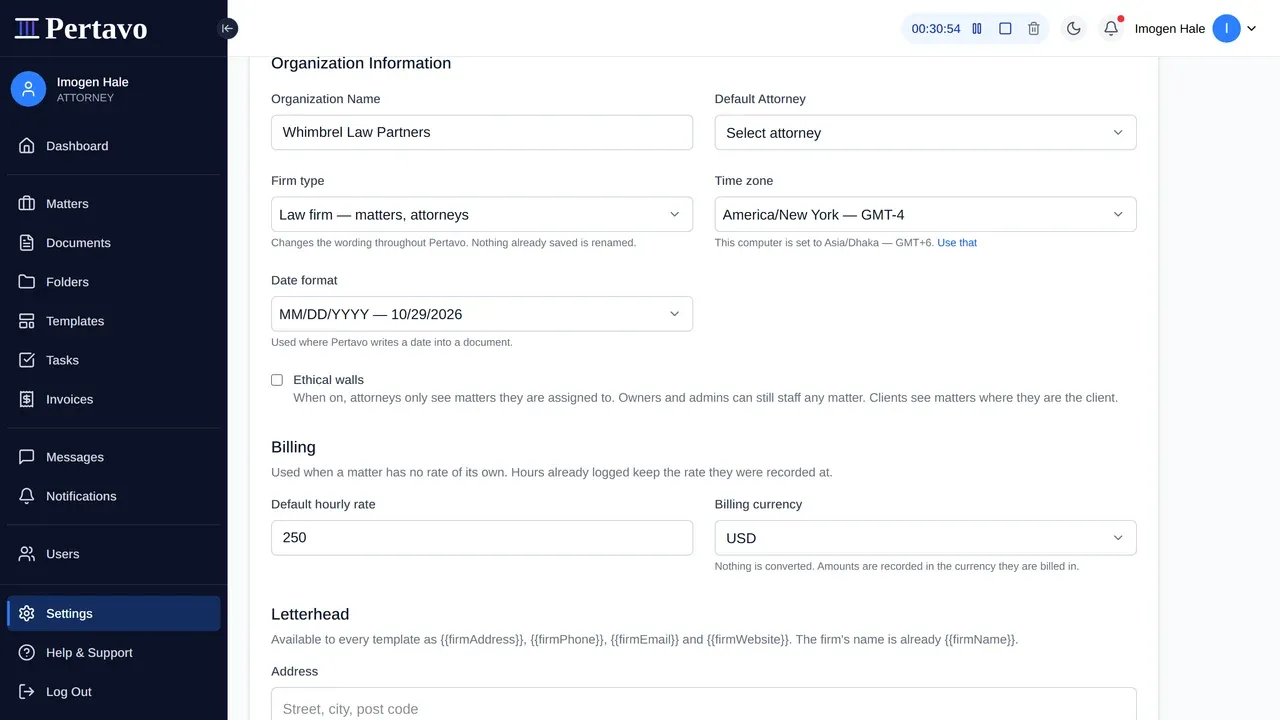
Settings → Organization → Ethical walls. Only an owner or admin can reach it, and it applies to the whole firm.
It fails closed, and it is enforced on our side
Two properties worth stating precisely, because they are what makes a wall a wall rather than a hidden menu item:
- The query is narrowed, not the screen. A walled-off attorney’s request for a document is refused by the server. It is not a button that has been greyed out, and it cannot be got round by guessing a URL.
- In doubt, nothing. Where the check cannot establish that somebody is staffed on a matter, the answer is no. The failure direction is deliberate.
The trap: documents with no matter
Read this before you turn it on.
A document does not have to be filed on a matter. Anything uploaded before your firm started using matters, or dropped in while somebody was in a hurry, has no matter on it.
With walls on, those documents become invisible to every attorney who did not upload them. They are not deleted and nothing has gone wrong — the check simply cannot establish that anybody is staffed on a matter that is not there. But to the person who turned the switch on, half the firm’s filing has just disappeared.
So the order to do this in is:
- Go to Documents and sort by matter.
- File everything that has none — the General matter exists for exactly this.
- Then turn walls on.
What it does not do
- It is not per matter. There is no way to wall one matter and leave the rest open. It is the whole firm or none of it.
- It does not hide people. The firm’s user list, and who is staffed on a matter you can already see, stay visible.
- It does not log breaches, because there are none to log — the request is refused rather than recorded. There is no report of who tried to reach what.
Staffing somebody on a matter
Open the matter and add them under Staff on this matter. That is what grants access once walls are on, and removing somebody takes it away again immediately.
This did not answer it?
Sign in and write to us from Help & Support inside the portal — a message from there arrives with your firm and your account already attached, so nobody has to ask you which is which.
Sign in to Pertavo