Your calendar in Outlook, Google or Apple
Subscribing to your Pertavo dates from the calendar you already watch — what the link carries, why it arrives late, and why the link is a password.
3 min readReviewed 29 October 2026
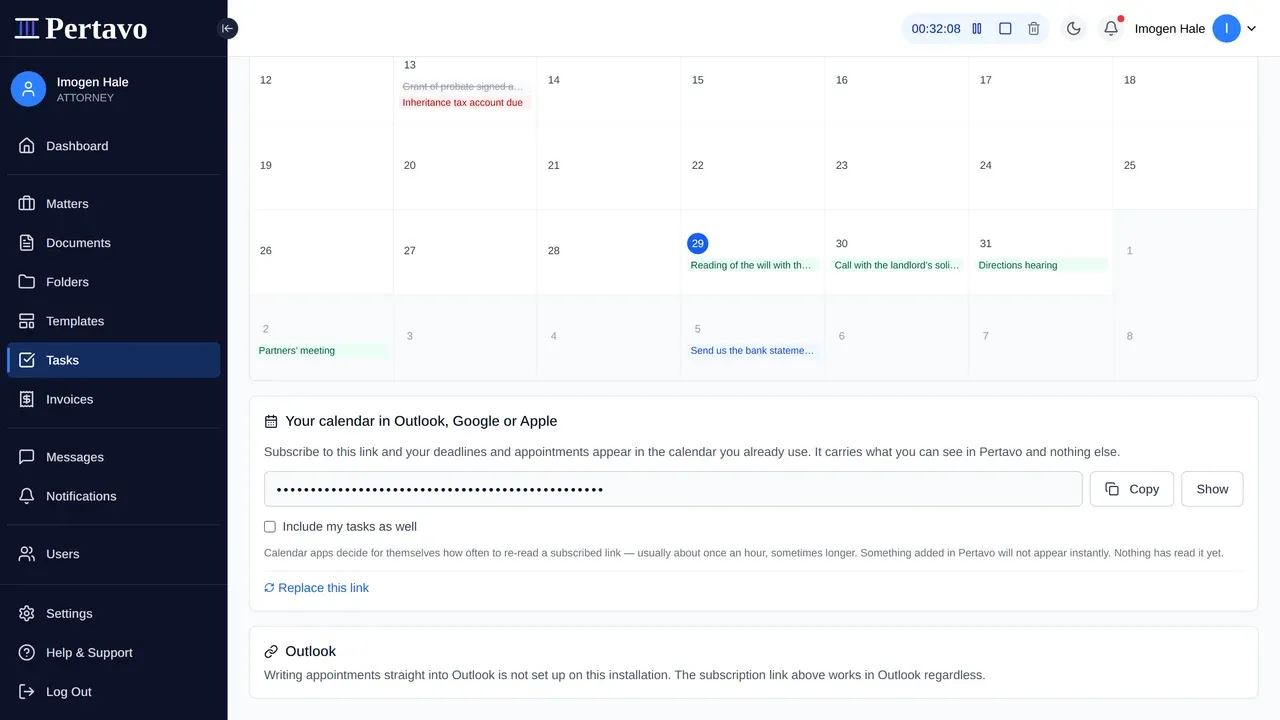
Under the calendar there is a link you can subscribe to from Outlook, Google Calendar, Apple Calendar or anything else that reads a calendar feed. Your Pertavo dates then appear beside the rest of your week, in the app you already have open.
This exists because of what the calendar in Pertavo does not do: it will not remind you. The calendar on your phone will.
What the link carries
What you can see, and nothing else. The feed is built per person, against the same rules as the screen: your matters, your tasks, the ethical walls your firm has set. A partner and a paralegal subscribing to “the firm’s calendar” get two different calendars, correctly.
It reaches thirty days back and a year ahead — enough to answer “when was that hearing” without carrying your whole history into somebody’s phone.
Appointments and deadlines are always in it. Tasks are a switch, off by default: a firm with sixty open tasks does not want sixty entries in their personal diary, and the ones who do can say so.
It arrives late, and that is the nature of it
A subscribed calendar is re-read when the subscribing app feels like it — usually hourly, sometimes once a day. Outlook and Google both decide this for themselves and neither can be told to hurry.
So: move a hearing in Pertavo and your phone may not know for an hour. Do not use this as the thing that tells you about a change today. It is a copy of your diary, not a notification.
The link is a password that looks like a link
There is no login on it. Nothing is asked for, because a calendar app cannot be asked — so whoever holds the URL holds your calendar, with your clients’ names and matter references in it.
Everything about how it behaves follows from that:
- It is masked on screen until you ask for it, so it does not sit in a screen-share or a screenshot.
- It is yours, not the firm’s. Sending yours to a colleague gives them your view, which is not the same as giving them theirs.
- You can replace it. Rotating writes a new link and the old one stops working that moment — which is what to do if it went into an email, a shared document, or anywhere you cannot account for.
- Put it in your own calendar app, not into a shared team calendar that republishes it.
Outlook, more directly
There is also a direct Outlook connection, which writes your Pertavo appointments into an Outlook calendar within a minute rather than within an hour. Two things to know before you plan around it:
- It is one-way. Pertavo’s appointments appear in Outlook; appointments you make in Outlook do not come back. Reading Outlook is a later piece of work and is not built.
- It needs Microsoft credentials on the deployment, and a deployment without them is a normal deployment rather than a broken one. The panel says plainly which you are looking at, so check there rather than assuming.
Disconnecting it does not empty anybody’s calendar — the events that were written stay written.
What there is not
- No Google connection. Google’s calendar scopes need a verification review, so subscribe by link instead; that works today and needs nobody’s permission.
- No writing back from any calendar. Nothing you do in Outlook, Google or Apple changes anything in Pertavo.
- Nothing else syncs. This is the diary. Your email, your accounts package and your documents stay where they are — see download and export options for getting documents out.
This did not answer it?
Sign in and write to us from Help & Support inside the portal — a message from there arrives with your firm and your account already attached, so nobody has to ask you which is which.
Sign in to Pertavo